SSilpuAI Studio+
Render free
Chicago · two ways in: Render it yourself or Win the project · for builders
AI Rendering · Chicago, Illinois

Render your Chicago greystone, brick two-flat or bungalow photoreal — in seconds, not days

Common Chicago brick, a Bedford-limestone greystone face, Prairie-School art glass, a low-hipped bungalow roof built to shed a heavy winter snow load — SilpuAI Studio+ turns your SketchUp, ArchiCAD or Revit model, or even a plain screenshot, into a magazine-grade render right at your desk in the city. $0.97 per render, free to try, no card.

Free to try — no card. Then $0.97 a render, credits never expire.

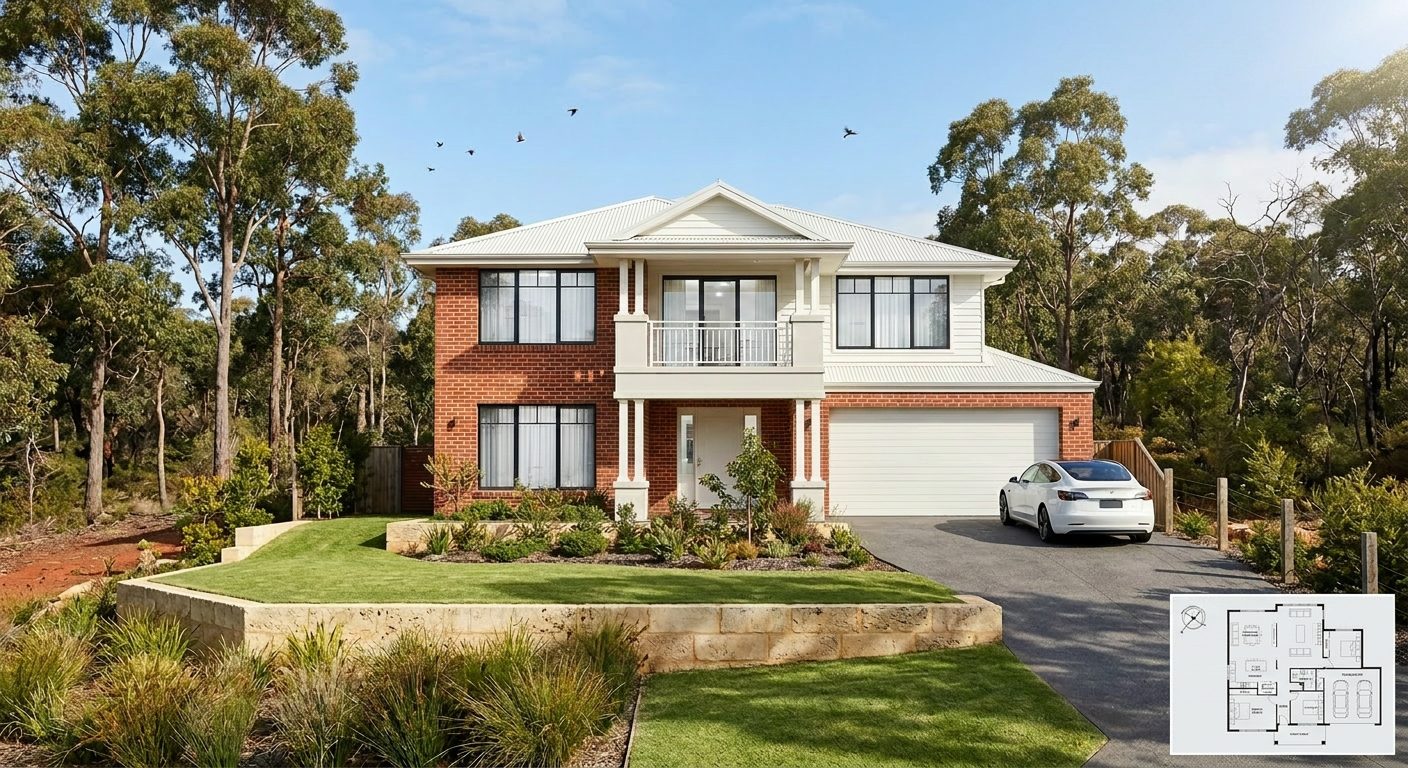
A photoreal SilpuAI Studio+ render of a Chicago home
Your model → photoreal, exactly as drawn.SILPUAI STUDIO+
Built by a practising designer Works with SketchUp · ArchiCAD · Revit — or any screenshot $0.97 a render · credits never expire Renders exactly as modelled
Three steps

From your model to a finished render before your coffee's cold.

01

Upload your model

Drag in a model view — or send it straight from the free SketchUp, ArchiCAD or Revit plugin with one click.

02

Pick a look

Photoreal, golden hour, dusk, or a concept style. Set the sun, the time of day, the mood — no scene setup.

03

Generate

A magazine-grade render in seconds. Relight, restyle, add interiors or landscape, and download. Priced per render.

Outsourcing vs. rendering it yourself

Keep the studio for the hero shot. Render everything else yourself.

There's a moment for the specialist studio render — the single signature image for a competition board or a downtown tower's marketing campaign. But most of the images you actually need aren't that. They're concept studies, three material options for a client, the sign-off frame, the exhibit for the planning department, the listing shot for a Logan Square infill. Render that everyday volume yourself, in seconds, and save the studio for the one frame that truly earns it.

 Outsourcing (the old way)SilpuAI Studio+ YOU
Turnaround3–7 daysSeconds
Cost per image$250–$1200$0.97
RevisionsPaid, another waitInstant, as many as you like
Design accuracyDepends on the briefLocked to your model
Who's in controlSomeone else's queueYou, at your desk in Chicago

It renders your design — not its imagination.

Studio+ renders the design you drew — not something it imagined. It holds the geometry and materials from your model: the coursing of Chicago common brick, the limestone face and banding of a greystone, the proportions of art-glass windows, the pitch of a bungalow's hipped roof, the tight footprint of a 25-foot alley lot. It reads cold-climate construction, too — deep-set masonry, snow-shedding roofs, and the way low winter light rakes across a north-facing facade — so the render stays true to how the building will actually stand through a Chicago year.

“Render exactly as modelled” isn't a setting. It's the whole point.

Built for Chicago work

What Chicago designers & builders render with it.

Chicago bungalow Brick two-flat Greystone Prairie School home Worker's cottage Three-flat walk-up Modern alley-lot infill Coach house ADU High-rise condo
Pricing

Pay for what you render. Nothing else.

$0.97
per render
Free to try — no card. Just sign in and render.
  • Credits never expire — buy a top-up, use it whenever.
  • Free plugins for SketchUp, ArchiCAD & Revit.
  • Clean, unwatermarked output on paid renders.
  • Relight, restyle, interiors & landscape included.
  • Pro tier for teams and higher volume.
Questions

3D rendering in Chicago — answered.

How much does 3D rendering cost in Chicago?

A Chicago rendering studio typically charges $250 to $1,200 per image for a polished exterior — more for a downtown high-rise hero shot with full context and staging. With SilpuAI Studio+ you render it yourself for $0.97 per render. It's free to try with no card, and your credits never expire, so you can explore every material and massing option before you pick the frame that sells the project.

How accurate is the render — will it match my drawings?

Studio+ locks to the geometry and materials in your model, so your Chicago common brick, the limestone banding on a greystone, the low-hipped bungalow roof and deep eaves stay as you drew them. That said, AI can drift — a roofline or a window head can shift — so always check the render against your drawings before a client sign-off or a permit submission to the city.

How long does a render take?

Seconds. Upload a SketchUp, ArchiCAD or Revit view — or just a screenshot — and a photoreal frame comes back while you're still on the call. You can render a dozen options in the time a studio takes to reply to your first email.

Which software does it work with?

Any of them. Studio+ works from a SketchUp, ArchiCAD, Revit, Rhino or Chief Architect export, and even from a plain screenshot or a massing photo. No plugin, no new file format, no re-modeling — if you can see it on screen, you can render it.

Do I still need a Chicago rendering studio?

For one signature marketing image — a cover-worthy shot of a Streeterville tower — a specialist studio can still be worth it. For everything else, from concept options and client sign-offs to zoning and permit exhibits and listing photos of a narrow-lot infill, render it yourself for $0.97 per render and keep the whole process in-house at your desk in the city.
Render your next Chicago project tonight

Point Studio+ at your model, watch your brick and limestone come to life in real Chicago light, and hand your client something real by morning. It's free to try with no card, it's $0.97 per render, and your credits never expire — so there's no clock running while you explore. Design from anywhere; render right at your desk in the city.

Start rendering