SSilpuAI Studio+
Render free
Houston · two ways in: Render it yourself or Win the project · for builders
AI Rendering · Houston, Texas

From full-brick ranch to a three-story Heights townhome — your Houston model, rendered photoreal in seconds, not days.

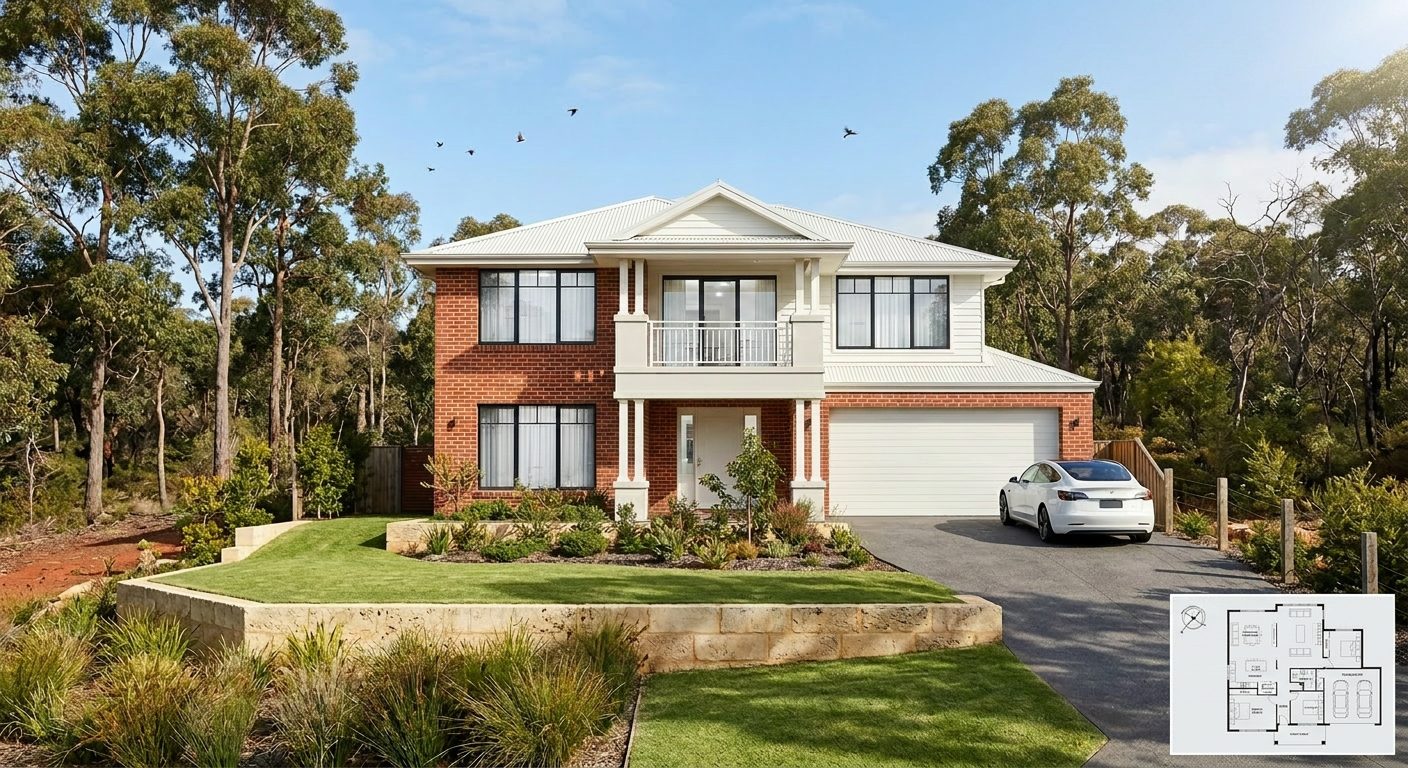
Load your SketchUp, ArchiCAD or Revit model — or just a screenshot — and watch it come back as full brick veneer, Hardie-plank siding and a standing-seam metal roof under a heavy Gulf Coast sky, with the deep covered patio and raised slab Houston buyers expect. Photoreal in seconds, $0.97 per render, free to try with no card.

Free to try — no card. Then $0.97 a render, credits never expire.

A photoreal SilpuAI Studio+ render of a Houston home
Your model → photoreal, exactly as drawn.SILPUAI STUDIO+
Built by a practising designer Works with SketchUp · ArchiCAD · Revit — or any screenshot $0.97 a render · credits never expire Renders exactly as modelled
Three steps

From your model to a finished render before your coffee's cold.

01

Upload your model

Drag in a model view — or send it straight from the free SketchUp, ArchiCAD or Revit plugin with one click.

02

Pick a look

Photoreal, golden hour, dusk, or a concept style. Set the sun, the time of day, the mood — no scene setup.

03

Generate

A magazine-grade render in seconds. Relight, restyle, add interiors or landscape, and download. Priced per render.

Outsourcing vs. rendering it yourself

Keep the studio for the hero shot. Render everything else yourself.

There's a moment for a specialist studio — the single hero image on the sales brochure or the glossy magazine spread. But most of what you render every week isn't that: it's early concepts, material options, client sign-off, permit-set exhibits and MLS listing shots. That's the everyday volume you can render yourself, in seconds, for under a dollar — and keep the studio's fee for the one frame that truly has to be perfect.

 Outsourcing (the old way)SilpuAI Studio+ YOU
Turnaround3–7 daysSeconds
Cost per image$300–$1200$0.97
RevisionsPaid, another waitInstant, as many as you like
Design accuracyDepends on the briefLocked to your model
Who's in controlSomeone else's queueYou, at your desk in Houston

It renders your design — not its imagination.

SilpuAI holds your model's geometry and materials exactly as you drew them — the ridge line, the window heads, the brick coursing, the porch posts and the eave depth. It renders the design in front of it, not an AI's idea of a Houston house, so full-brick veneer stays brick, a standing-seam roof stays metal, and the elevated slab and generous overhangs that suit a hot, humid, storm-prone Gulf climate read true to how they actually get built across Harris and Fort Bend counties.

“Render exactly as modelled” isn't a setting. It's the whole point.

Built for Houston work

What Houston designers & builders render with it.

Full-brick ranch Heights bungalow Three-story townhome Master-planned new-build French Country custom Modern farmhouse Elevated pier-and-beam Covered outdoor living Texas contemporary
Pricing

Pay for what you render. Nothing else.

$0.97
per render
Free to try — no card. Just sign in and render.
  • Credits never expire — buy a top-up, use it whenever.
  • Free plugins for SketchUp, ArchiCAD & Revit.
  • Clean, unwatermarked output on paid renders.
  • Relight, restyle, interiors & landscape included.
  • Pro tier for teams and higher volume.
Questions

3D rendering in Houston — answered.

How much does 3D rendering cost in Houston?

A Houston rendering studio typically charges around $300 to $1,200 per still, and more for a polished photoreal hero image or a rush turnaround. SilpuAI Studio+ is $0.97 per render — free to try with no card — so you can render every concept, option and elevation yourself and save the studio budget for the one shot that has to be flawless.

How accurate is the render to my actual design?

Very — it locks to your geometry and materials rather than inventing them, so a brick ranch stays brick and your roof pitch stays your roof pitch. That said, AI can drift: a roofline or a window head can shift between passes, so always check the render against your drawings before a client sign-off or a permit submission to the city or county.

How long does a render take?

Seconds. A single image usually lands in well under a minute, so you can try three siding colors or two roof options while your client is still on the call — no overnight queue, no back-and-forth with a studio.

Which software does it work with?

Anything you already model in — SketchUp, ArchiCAD, Revit, Chief Architect, Rhino, Enscape or Lumion — plus a plain screenshot or even a phone photo of your screen. No plugin to install and no export dance; if you can see it, you can render it.

Do I still need a Houston rendering studio?

For a single showpiece frame — the cover of the brochure for a River Oaks custom or a master-planned amenity center — a specialist studio still earns its fee. For the daily volume of concepts, options, client approvals, permit exhibits and listing images, you render those yourself at $0.97 per render and keep the studio for the one hero shot.
Render your Houston project tonight

Load a model or a screenshot and see your first render free — no card required. After that it's $0.97 per render, and your credits never expire, so buy a handful for a Heights listing or a hundred for a master-planned rollout and use them whenever the next project lands on your desk in the city.

Start rendering