SSilpuAI Studio+
Render free
Los Angeles · two ways in: Render it yourself or Win the project · for builders
AI Rendering · Los Angeles, California

From post-and-beam hillsides to stucco courtyards — your Los Angeles design, photoreal in seconds, not days.

Drop in your model of a Silver Lake hillside build, a Spanish Colonial Revival remodel or a backyard ADU and watch it come back photoreal — white stucco and red clay tile, walls of glass folding open to the pool deck, that low golden-hour light burning off the Santa Monica marine layer. $0.97 per render, free to try, no card.

Free to try — no card. Then $0.97 a render, credits never expire.

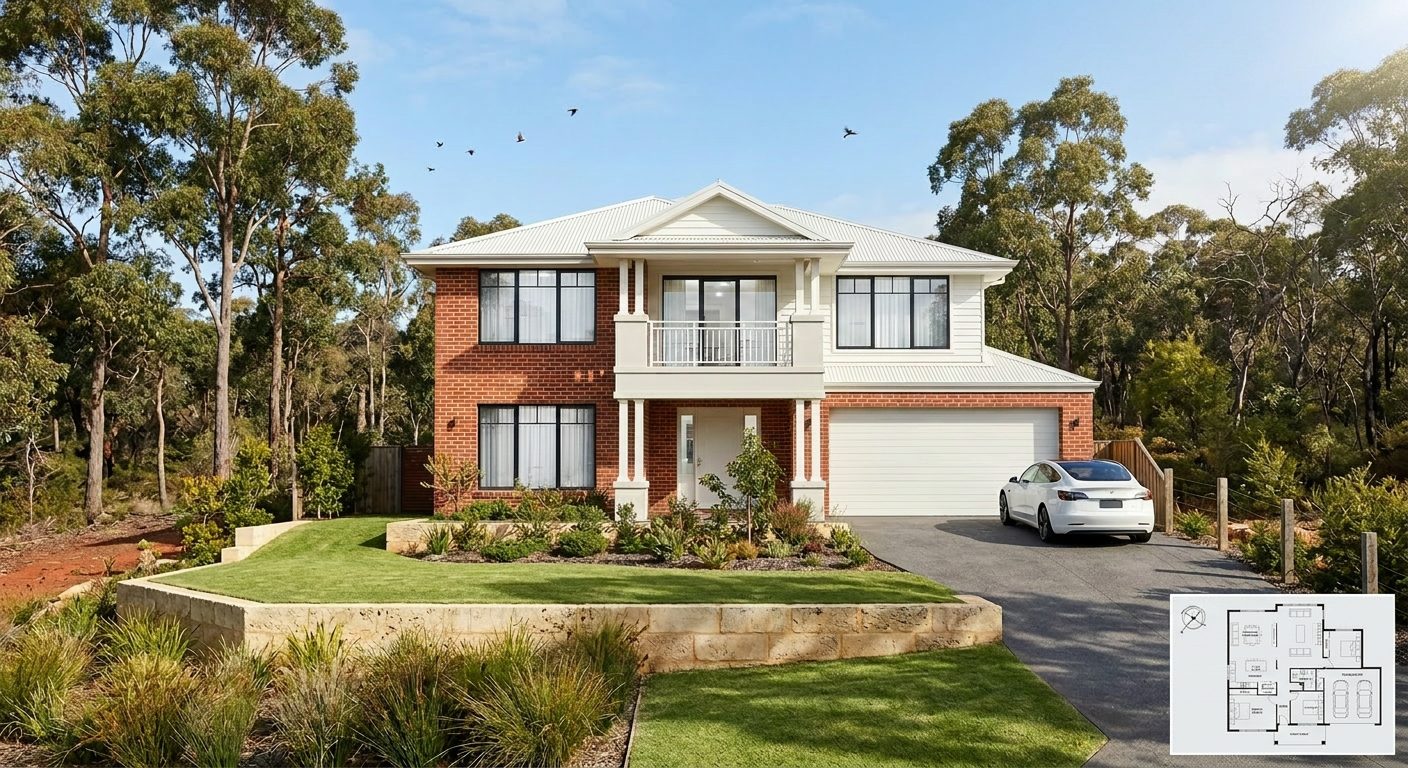
A photoreal SilpuAI Studio+ render of a Los Angeles home
Your model → photoreal, exactly as drawn.SILPUAI STUDIO+
Built by a practising designer Works with SketchUp · ArchiCAD · Revit — or any screenshot $0.97 a render · credits never expire Renders exactly as modelled
Three steps

From your model to a finished render before your coffee's cold.

01

Upload your model

Drag in a model view — or send it straight from the free SketchUp, ArchiCAD or Revit plugin with one click.

02

Pick a look

Photoreal, golden hour, dusk, or a concept style. Set the sun, the time of day, the mood — no scene setup.

03

Generate

A magazine-grade render in seconds. Relight, restyle, add interiors or landscape, and download. Priced per render.

Outsourcing vs. rendering it yourself

Keep the studio for the hero shot. Render everything else yourself.

One project might deserve a single, hand-crafted hero image from a specialist studio. The rest of your week — concept options for a hillside remodel, three façade choices for a client to pick from, the permit-set illustrations the city wants, listing shots for a spec home, a quick ADU feasibility for a homeowner — is everyday volume. That's the work you can render yourself, in seconds, for less than a dollar, instead of waiting days and paying studio rates per image.

 Outsourcing (the old way)SilpuAI Studio+ YOU
Turnaround3–7 daysSeconds
Cost per image$350–$1500$0.97
RevisionsPaid, another waitInstant, as many as you like
Design accuracyDepends on the briefLocked to your model
Who's in controlSomeone else's queueYou, at your desk in Los Angeles

It renders your design — not its imagination.

Studio+ renders the design you drew, not a stylish guess. It locks to the geometry and materials in your model — the stucco and board-formed concrete, the red clay tile, the folding glass walls and cantilevered view decks — and holds your setbacks, roof pitches and window heads where you placed them. It's tuned to how Los Angeles actually gets built: Title 24 energy detailing, seismic framing, WUI wildfire-hardening with Class A roofs and ember-resistant eaves, and drought-tolerant native planting in place of thirsty lawn. The result reads true to a local designer, builder or buyer — because it's your building, not the model's imagination. It's built by a practising designer who got tired of waiting days for a single image.

“Render exactly as modelled” isn't a setting. It's the whole point.

Built for Los Angeles work

What Los Angeles designers & builders render with it.

Hillside contemporary homes Spanish Colonial Revival remodels Mid-century post-and-beam Backyard ADUs Stucco courtyard homes Venice modern boxes Craftsman bungalows Indoor-outdoor pool houses
Pricing

Pay for what you render. Nothing else.

$0.97
per render
Free to try — no card. Just sign in and render.
  • Credits never expire — buy a top-up, use it whenever.
  • Free plugins for SketchUp, ArchiCAD & Revit.
  • Clean, unwatermarked output on paid renders.
  • Relight, restyle, interiors & landscape included.
  • Pro tier for teams and higher volume.
Questions

3D rendering in Los Angeles — answered.

How much does 3D rendering cost in Los Angeles?

A specialist Los Angeles studio typically charges around $350 to $1,500 per photoreal still — more for a luxury hillside hero shot with full landscaping and dusk lighting — and you'll usually wait days per revision. SilpuAI Studio+ is $0.97 per render. You upload your model, get a photoreal image back in seconds, and revise as many times as you like. It's free to try with no card, and the credits you buy never expire.

How accurate is the render to my design?

Studio+ locks to the geometry and materials in your model, so it renders the design you actually drew — your stucco, your clay tile, your window heads, your setbacks — not an invented lookalike. That said, AI can drift: a roofline or a window head can shift between renders, so always check the render against your drawings before a client sign-off or a permit submission to the city.

How long does a render take?

Seconds. Upload a SketchUp, ArchiCAD or Revit view — or even a screenshot — and your photoreal render is back before your coffee's cool. Run a dozen options for a Silver Lake client meeting in the time a studio would take just to send you a quote.

Which software does it work with?

Anything you can get a view out of. Export or screenshot from SketchUp, ArchiCAD, Revit, Rhino, Chief Architect, Vectorworks or Lumion — even a phone photo of a massing model works. No plugin, no new pipeline, nothing to install.

Do I still need a Los Angeles rendering studio?

For your one signature hero shot — the framed, magazine-grade image of a finished Bel Air estate — a specialist studio is still worth it. For everything else (concept options, client sign-off, permit-set illustrations, listing images, ADU feasibility for a homeowner), render it yourself at $0.97 per render and keep the project moving. Most architects, designers and builders use both.
Your next Los Angeles render is 97 cents away.

Point Studio+ at your next model — a hillside contemporary, a Spanish Colonial remodel, a backyard ADU — and see it photoreal in seconds. It's free to start, no card. Renders are $0.97 per render, and the credits you buy never expire, so a slow month never costs you a thing. Render your Los Angeles right at your desk in the city.

Start rendering