SSilpuAI Studio+
Render free
Miami · two ways in: Render it yourself or Win the project · for builders
AI Rendering · Miami, Florida

From pastel Deco eyebrows to glassy Brickell towers — your Miami design rendered photoreal in seconds, not days

Drop in a screenshot or a SketchUp, Revit or ArchiCAD model and watch it come back photoreal — streamline-moderne stucco and terrazzo on Ocean Drive, barrel-tile and coral keystone in Coral Gables, deep-overhang tropical modern with floor-to-ceiling impact glass on the water, all under that hard subtropical sun. $0.97 per render, free to try.

Free to try — no card. Then $0.97 a render, credits never expire.

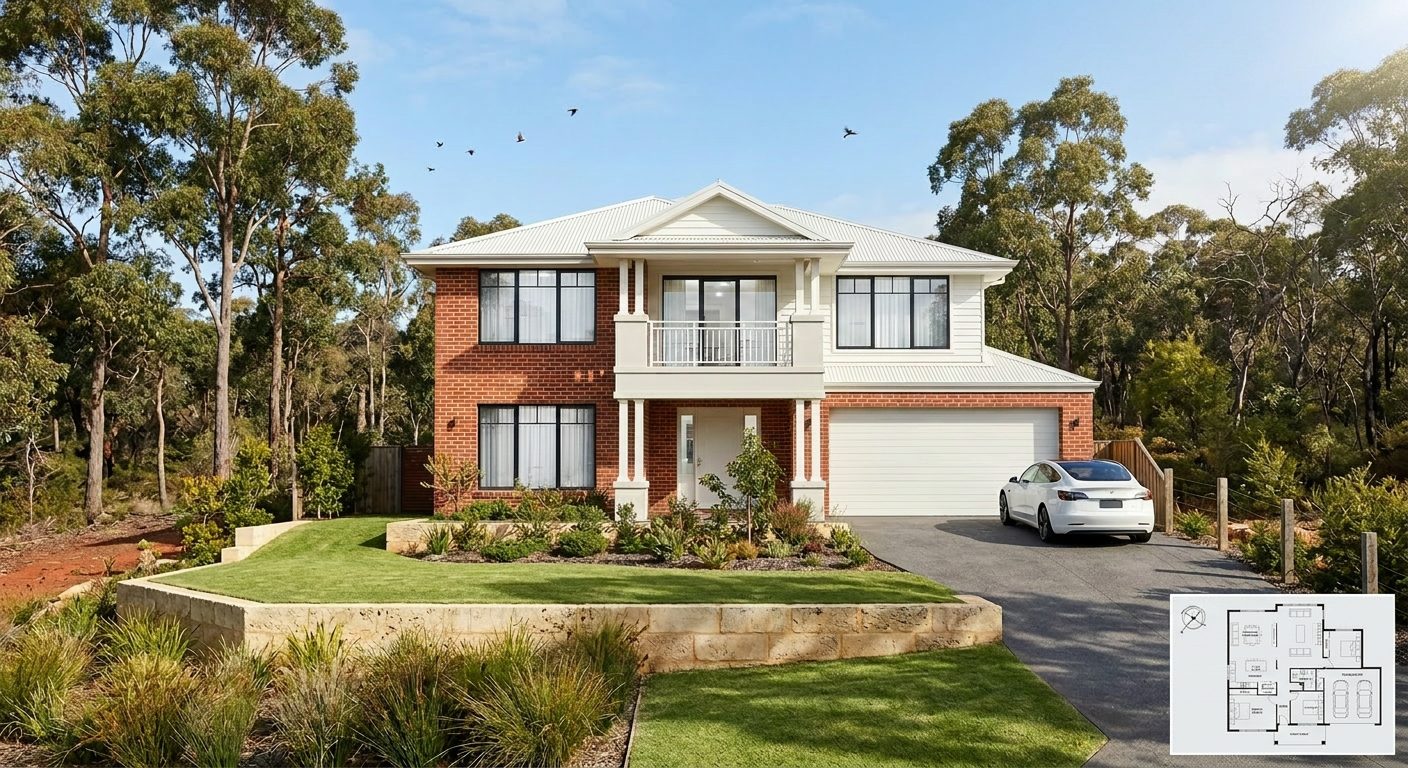
A photoreal SilpuAI Studio+ render of a Miami home
Your model → photoreal, exactly as drawn.SILPUAI STUDIO+
Built by a practising designer Works with SketchUp · ArchiCAD · Revit — or any screenshot $0.97 a render · credits never expire Renders exactly as modelled
Three steps

From your model to a finished render before your coffee's cold.

01

Upload your model

Drag in a model view — or send it straight from the free SketchUp, ArchiCAD or Revit plugin with one click.

02

Pick a look

Photoreal, golden hour, dusk, or a concept style. Set the sun, the time of day, the mood — no scene setup.

03

Generate

A magazine-grade render in seconds. Relight, restyle, add interiors or landscape, and download. Priced per render.

Outsourcing vs. rendering it yourself

Keep the studio for the money shot. Render everything else at your desk.

A specialist Miami rendering studio is worth every dollar for the one framed hero image that sells the whole tower. But most of the work isn't hero shots — it's concepts, three facade options before lunch, the view the buyer asked to see, permit-set exhibits, and MLS listing images. Paying studio rates and waiting days for that everyday volume is where the budget and the calendar quietly disappear. Render that yourself, in seconds, and save the studio for the frame that has to be perfect.

 Outsourcing (the old way)SilpuAI Studio+ YOU
Turnaround3–7 daysSeconds
Cost per image$300–$1200$0.97
RevisionsPaid, another waitInstant, as many as you like
Design accuracyDepends on the briefLocked to your model
Who's in controlSomeone else's queueYou, at your desk in Miami

It renders your design — not its imagination.

SilpuAI locks to your model — the massing, the rooflines, the window heads, the setback off the seawall, the material you actually specified. It renders your design, not its own idea of a Miami house: CMU-and-stucco walls, S-tile or standing-seam roofs, impact-rated glazing sitting proud in the wall, terrazzo and coral-keystone detailing, the elevated finished floor a flood zone demands. The result reads like your building on a bright Biscayne morning, not a generic beach box the AI wished you had drawn.

“Render exactly as modelled” isn't a setting. It's the whole point.

Built for Miami work

What Miami designers & builders render with it.

South Beach Art Deco hotels Coral Gables Med Revival estates Brickell glass towers MiMo motels on Biscayne Coconut Grove hardwood cottages Wynwood warehouse conversions Key Biscayne waterfront homes Tropical-modern flat-roof villas
Pricing

Pay for what you render. Nothing else.

$0.97
per render
Free to try — no card. Just sign in and render.
  • Credits never expire — buy a top-up, use it whenever.
  • Free plugins for SketchUp, ArchiCAD & Revit.
  • Clean, unwatermarked output on paid renders.
  • Relight, restyle, interiors & landscape included.
  • Pro tier for teams and higher volume.
Questions

3D rendering in Miami — answered.

How much does 3D rendering cost in Miami?

A specialist Miami studio typically runs about $300 to $1,200 per image for a polished exterior, more for a high-end waterfront hero shot, and usually a few days of turnaround. SilpuAI Studio+ is $0.97 per render — free to try with no card, so you can price out a whole set of options before you'd normally get a first proof back.

How accurate is the render to my actual drawings?

It's built to be faithful: it holds your geometry and the materials you specified — massing, rooflines, window heads, the stucco or barrel tile, the impact glass — rather than inventing a look. That said, AI can drift: a roofline or a window head can shift slightly between passes, so always check the render against your drawings before a client sign-off or a permit submission to the city. It's a fast, honest starting image, not a stamped construction document.

How long does one render take?

Seconds. You upload a model view or a screenshot, and the photoreal image comes back while you're still looking at the screen — fast enough to test three facade treatments or a dawn-versus-dusk version of the same waterfront elevation in the time a studio would spend opening the file.

Which software does it work with?

Anything you already draw in. Export or screenshot a view from SketchUp, Revit, ArchiCAD, Rhino, Chief Architect, Lumion or a plain massing model — if you can get a picture of it, SilpuAI can render it. No plugin to install and no new modeling workflow to learn.

Do I still need a Miami rendering studio?

For the single showcase image that fronts a Brickell launch or a Star Island listing, a great studio still earns its fee. For everything else — early concepts, client sign-off, option studies, permit exhibits, listing photos — you can render it yourself at $0.97 per render and keep the studio budget for the one shot that truly has to be perfect.
Render your next Miami project tonight

Whether it's a Deco boutique on the beach, a Med Revival estate in the Gables, or a glass tower over the bay, you can see it photoreal in seconds from your desk in the city. Start free, no card — and when you're ready it's just $0.97 per render, with credits that never expire.

Start rendering