SSilpuAI Studio+
Render free
San Francisco · two ways in: Render it yourself or Win the project · for builders
AI Rendering · San Francisco, California

Your bay windows and Painted Ladies, rendered photoreal — in seconds, not days

From a Noe Valley bay-window remodel to a Marina stucco flat or a backyard ADU, drop in your model and get a photoreal render back — painted redwood millwork, decorative cornice brackets, Edwardian sash windows and the soft marine light that rolls in off the Pacific, all rendered true. $0.97 per render, free to try, no card.

Free to try — no card. Then $0.97 a render, credits never expire.

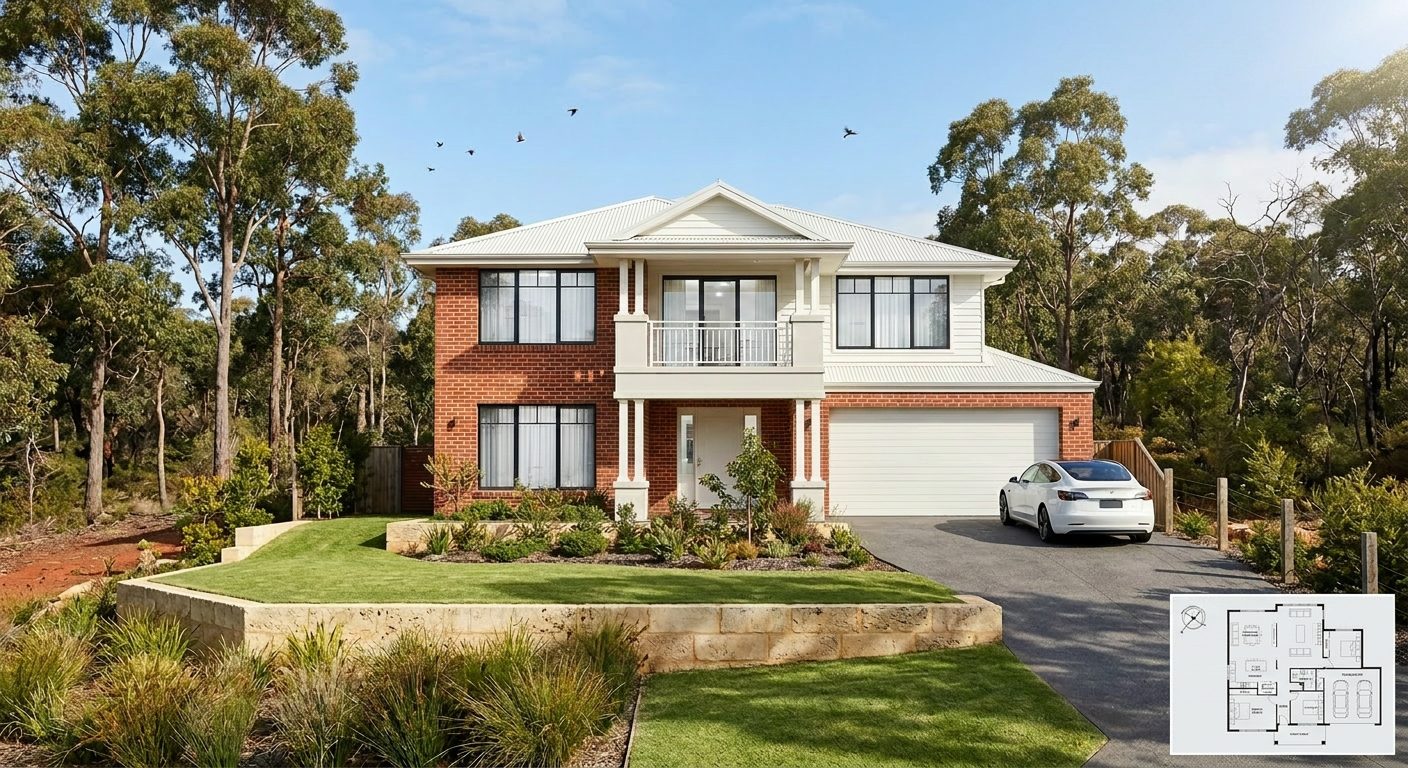
A photoreal SilpuAI Studio+ render of a San Francisco home
Your model → photoreal, exactly as drawn.SILPUAI STUDIO+
Built by a practising designer Works with SketchUp · ArchiCAD · Revit — or any screenshot $0.97 a render · credits never expire Renders exactly as modelled
Three steps

From your model to a finished render before your coffee's cold.

01

Upload your model

Drag in a model view — or send it straight from the free SketchUp, ArchiCAD or Revit plugin with one click.

02

Pick a look

Photoreal, golden hour, dusk, or a concept style. Set the sun, the time of day, the mood — no scene setup.

03

Generate

A magazine-grade render in seconds. Relight, restyle, add interiors or landscape, and download. Priced per render.

Outsourcing vs. rendering it yourself

Keep the studio for the hero shot. Render everything else yourself.

A specialist San Francisco rendering studio earns its fee on the one signature image that fronts a competition board or a marquee Pacific Heights listing. But most of your renders aren't that. They're early concepts, cladding and massing options, client sign-offs, permit-set illustrations for the planning department, and MLS listing shots. Render that everyday volume yourself in seconds at $0.97 per render, and save the studio for the single frame that has to sing.

 Outsourcing (the old way)SilpuAI Studio+ YOU
Turnaround3–7 daysSeconds
Cost per image$300–$1200$0.97
RevisionsPaid, another waitInstant, as many as you like
Design accuracyDepends on the briefLocked to your model
Who's in controlSomeone else's queueYou, at your desk in San Francisco

It renders your design — not its imagination.

SilpuAI locks to your model — the three-sided bay projection, the roofline, the setbacks and the exact stucco or painted-redwood cladding you specified. It renders the design you actually drew, not a machine's idea of it, and it's tuned to how San Francisco homes are really built: bay-window flats stacked over a soft-story garage, steep hillside lots, Edwardian sash windows, ornate Victorian trim, and the flat, fog-diffused coastal light that defines the city's microclimates from the Sunset to the Mission.

“Render exactly as modelled” isn't a setting. It's the whole point.

Built for San Francisco work

What San Francisco designers & builders render with it.

Victorian Painted Ladies Edwardian flats Marina-style stucco homes Sunset District row houses Noe Valley bay-window remodels Pacific Heights mansions SoMa live-work lofts Backyard ADUs
Pricing

Pay for what you render. Nothing else.

$0.97
per render
Free to try — no card. Just sign in and render.
  • Credits never expire — buy a top-up, use it whenever.
  • Free plugins for SketchUp, ArchiCAD & Revit.
  • Clean, unwatermarked output on paid renders.
  • Relight, restyle, interiors & landscape included.
  • Pro tier for teams and higher volume.
Questions

3D rendering in San Francisco — answered.

How much does 3D rendering cost in San Francisco?

A San Francisco rendering studio typically charges $300 to $1,200 per image, and more for a fully styled hero shot with revisions. With SilpuAI Studio+ you render it yourself for $0.97 per render — free to try, no card, and your credits never expire.

How accurate is it — will it match my drawings?

Very faithful. It renders your actual model, holding the bay-window geometry, rooflines, setbacks and materials you specified instead of inventing them. That said, AI can drift — a roofline or a window head can shift — so always check the render against your drawings before a client sign-off or a permit submission.

How long does a render take?

Seconds. Upload a SketchUp, ArchiCAD or Revit view — or any screenshot — and a photoreal render comes back in seconds, not the days a studio round-trip takes. Iterate through fog light, golden-hour dusk and different cladding options as fast as you can click.

Which software does it work with?

Anything you can screenshot. It works from SketchUp, ArchiCAD, Revit, Rhino, Chief Architect, or even a phone photo of a printed elevation. No plugin and no export dance — drop in the image and render.

Do I still need a San Francisco rendering studio?

For a single signature hero image with an art director, sometimes yes. For the daily volume — concepts, design options, client sign-offs, permit-set illustrations and listing shots — you render it yourself at $0.97 per render and keep the studio for the one frame that has to be perfect.
Render your San Francisco project tonight

Whether it's a Victorian remodel in the Mission, a soft-story retrofit in the Marina or a new ADU tucked behind a Sunset row house, you can see it photoreal in seconds. Try it free, no card — and when you're ready, it's just $0.97 per render. Your credits never expire, so buy what you need and come back whenever the next project lands on your desk in the city.

Start rendering