SSilpuAI Studio+
Render free
Seattle · two ways in: Render it yourself or Win the project · for builders
AI Rendering · Seattle, Washington

From a cedar-clad Craftsman to a glassy backyard DADU — rendered photoreal in seconds, not days

Seattle builds in cedar and dark-stained timber, board-and-batten, standing-seam metal roofs and walls of glass that pull daylight through the gray. SilpuAI Studio+ turns your model — or just a screenshot — into a photoreal render that looks right under Pacific Northwest rain: a Wallingford Craftsman bungalow, a Ballard skinny townhouse, a mass-timber infill on a tight lowrise (LR) lot. All for $0.97 per render. Free to try, no card.

Free to try — no card. Then $0.97 a render, credits never expire.

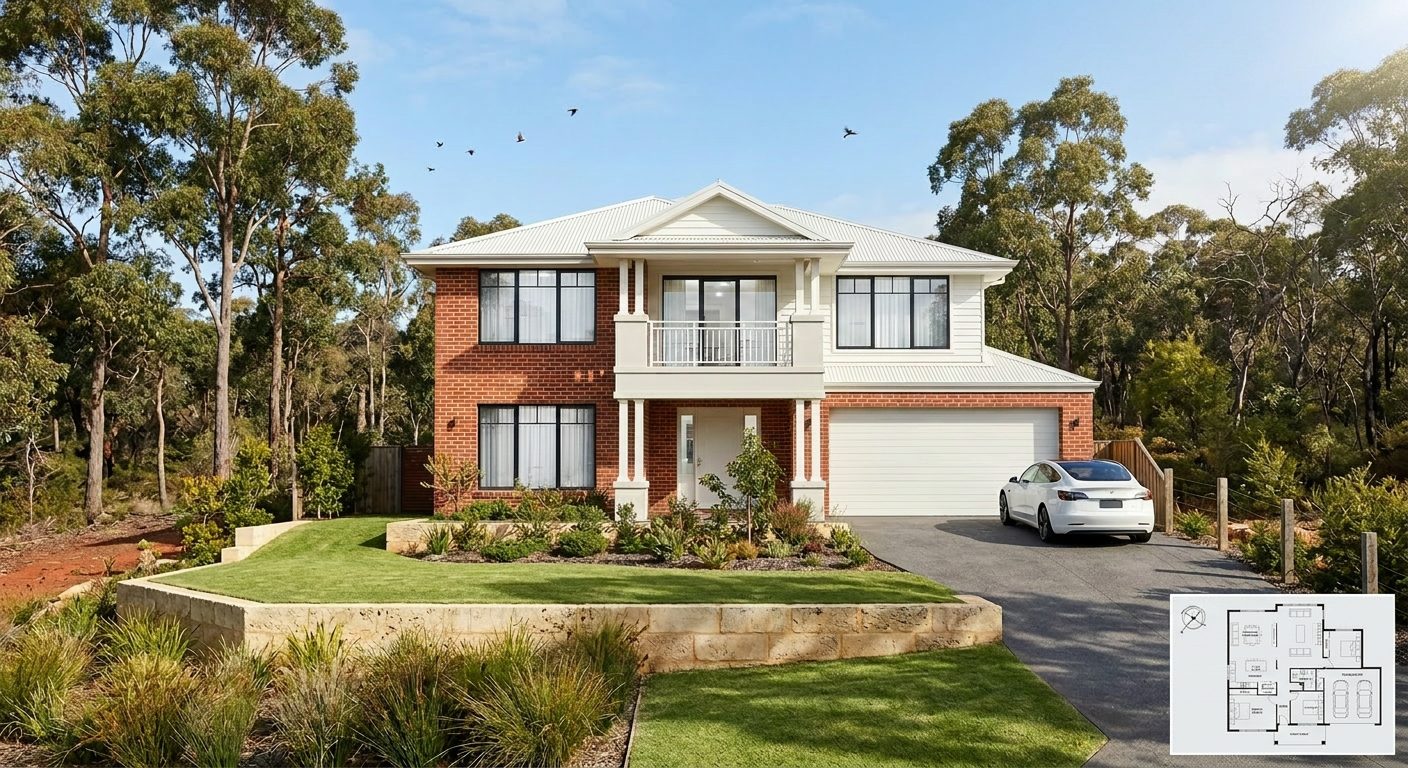
A photoreal SilpuAI Studio+ render of a Seattle home
Your model → photoreal, exactly as drawn.SILPUAI STUDIO+
Built by a practising designer Works with SketchUp · ArchiCAD · Revit — or any screenshot $0.97 a render · credits never expire Renders exactly as modelled
Three steps

From your model to a finished render before your coffee's cold.

01

Upload your model

Drag in a model view — or send it straight from the free SketchUp, ArchiCAD or Revit plugin with one click.

02

Pick a look

Photoreal, golden hour, dusk, or a concept style. Set the sun, the time of day, the mood — no scene setup.

03

Generate

A magazine-grade render in seconds. Relight, restyle, add interiors or landscape, and download. Priced per render.

Outsourcing vs. rendering it yourself

Keep a studio for the hero shot. Render everything else yourself.

A hand-built Seattle studio earns its fee on the single hero image at the front of a proposal. But the everyday volume — early massing studies, three cladding options for a Capitol Hill client, the sign-off render before a permit set, the massing you show a design-review board or a zoning variance request, listing shots for a Ballard townhouse — doesn't need a several-hundred-dollar invoice each. That's the work you can now do yourself, at your desk in the city, for the price of a coffee.

 Outsourcing (the old way)SilpuAI Studio+ YOU
Turnaround3–7 daysSeconds
Cost per image$275–$1200$0.97
RevisionsPaid, another waitInstant, as many as you like
Design accuracyDepends on the briefLocked to your model
Who's in controlSomeone else's queueYou, at your desk in Seattle

It renders your design — not its imagination.

Studio+ renders the design you actually drew — not an AI's guess at it. It locks to your model's geometry and materials, so a 6-in-12 gable stays a 6-in-12 gable, your cedar rainscreen stays cedar, and the daylight-basement footprint on that Queen Anne slope doesn't wander. It's tuned to how Seattle really builds: deep eaves and covered porches for the wet season, high-performance glazing, standing-seam and single-ply roofs, and the tight setbacks of lowrise infill.

“Render exactly as modelled” isn't a setting. It's the whole point.

Built for Seattle work

What Seattle designers & builders render with it.

Craftsman bungalow Backyard DADU Ballard townhouse PNW modern Mass-timber infill Floating home Daylight-basement split Capitol Hill rowhouse Northwest mid-century
Pricing

Pay for what you render. Nothing else.

$0.97
per render
Free to try — no card. Just sign in and render.
  • Credits never expire — buy a top-up, use it whenever.
  • Free plugins for SketchUp, ArchiCAD & Revit.
  • Clean, unwatermarked output on paid renders.
  • Relight, restyle, interiors & landscape included.
  • Pro tier for teams and higher volume.
Questions

3D rendering in Seattle — answered.

How much does 3D rendering cost in Seattle?

A traditional Seattle rendering studio typically charges about $275 to $1,200 per image, and more for a photoreal hero shot with detailed landscaping and dusk lighting. SilpuAI Studio+ is $0.97 per render. You can try it free with no card, and your credits never expire — so early concepts and quick options don't burn a studio budget.

How accurate is the render to my design?

Studio+ locks to your model's geometry and materials, so it renders the building you designed rather than reinventing it — cedar stays cedar, and your roof pitch and setbacks hold. That said, AI can drift: a roofline or a window head can shift between passes, so always check the render against your drawings before a client sign-off or a permit submission to the city.

How long does a render take?

Seconds. Upload a SketchUp, Revit or ArchiCAD view — or just a screenshot — and a photoreal render comes back in under a minute, so you can try three cladding options for a client while they're still on the call.

Which software does it work with?

Anything you can export or screenshot. SketchUp, Revit, ArchiCAD, Rhino, Chief Architect, Enscape stills — if you can see the model on your screen, Studio+ can render it. No plugin, no reinstall, no new file format.

Do I still need a Seattle rendering studio?

For the one framed hero image on a competition board or a high-stakes marketing package, a specialist Seattle studio is still worth it. For everything else — concepts, cladding options, client sign-off, permit-set visuals, listing shots — you render it yourself in seconds. Most designers and builders keep the studio for the rare hero shot and do the daily volume in-house.
Render your next Seattle project tonight

Bring your Craftsman remodel, your backyard DADU or a whole PNW-modern infill block — from your desk in the city, a SketchUp view becomes a photoreal render in seconds. It's $0.97 per render, free to try with no card, and your credits never expire. Design the thing; let Studio+ show it in the rain and the light.

Start rendering