SSilpuAI Studio+
Render free
Sunshine Coast · two ways in: Render it yourself or Win the project · for builders
AI Rendering · Sunshine Coast, Queensland

Timber, louvres and big eaves — your Sunshine Coast home, rendered in minutes.

Upload straight from SketchUp, ArchiCAD or Revit and get a photoreal image of your design — the deep eaves, banked louvres and lightweight cladding that let a home breathe through a humid subtropical summer. Built by a practising designer, not a render farm. From A$1.50 per render, free to try.

Free to try — no card. Then A$1.50 a render, credits never expire.

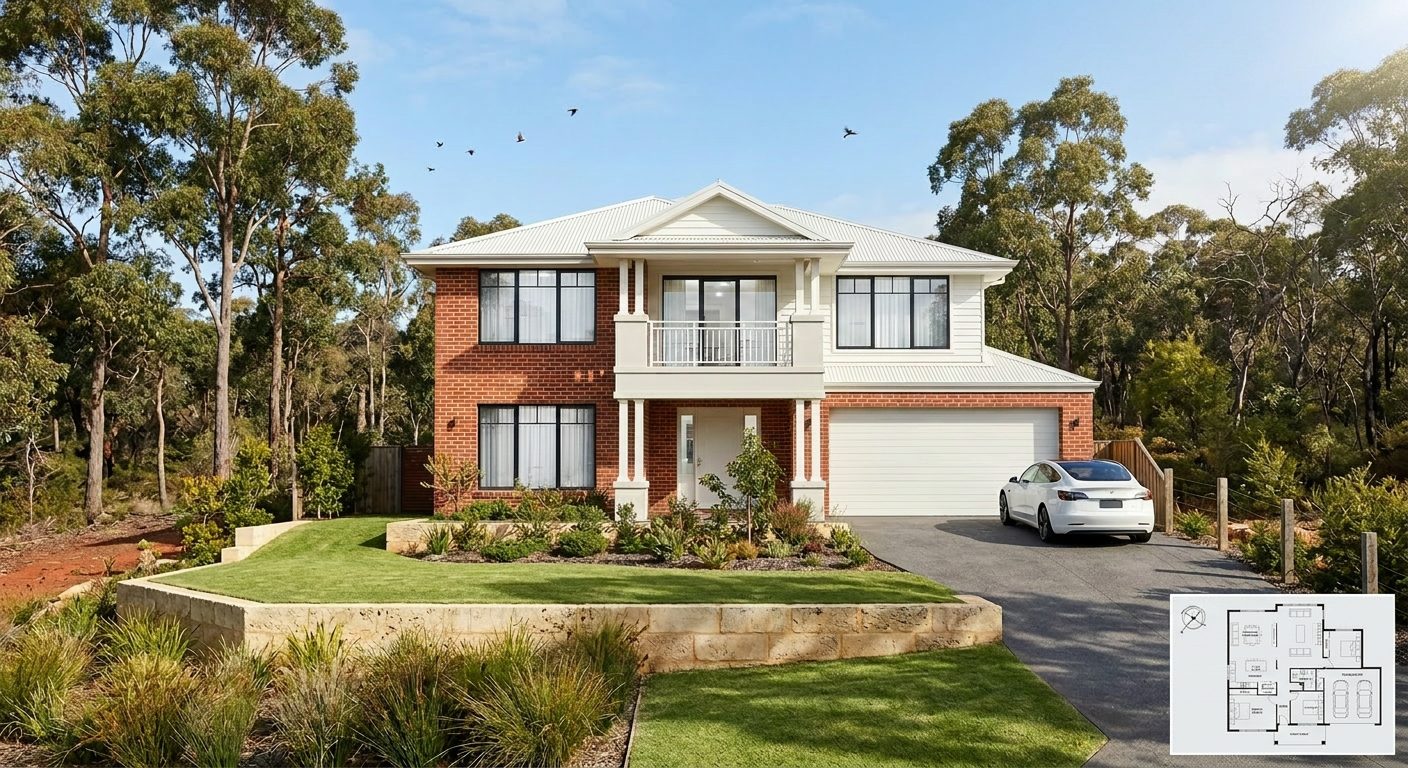
A photoreal SilpuAI Studio+ render of a Sunshine Coast home
Your model → photoreal, exactly as drawn.SILPUAI STUDIO+
Built by a practising designer Works with SketchUp · ArchiCAD · Revit — or any screenshot A$1.50 a render · credits never expire Renders exactly as modelled
Three steps

From your model to a finished render before your coffee's cold.

01

Upload your model

Drag in a model view — or send it straight from the free SketchUp, ArchiCAD or Revit plugin with one click.

02

Pick a look

Photoreal, golden hour, dusk, or a concept style. Set the sun, the time of day, the mood — no scene setup.

03

Generate

A magazine-grade render in seconds. Relight, restyle, add interiors or landscape, and download. Priced per render.

Outsourcing vs. rendering it yourself

A$1.50 a render, not A$200 and a week's wait

A Sunshine Coast render studio will quote roughly A$200 to A$800 an image and hand it back in three to seven days. That's fine for a single hero shot — but it's slow and dear when you're iterating a facade, testing a louvre rhythm for cross-ventilation, or showing a client three cladding options before lunch. Studio+ gives you the same photoreal quality in minutes, so you can render as freely as you sketch.

 Outsourcing (the old way)SilpuAI Studio+ YOU
Turnaround3–7 daysSeconds
Cost per imageA$200–A$800A$1.50
RevisionsPaid, another waitInstant, as many as you like
Design accuracyDepends on the briefLocked to your model
Who's in controlSomeone else's queueYou, at your desk in Sunshine Coast

It renders your design — not its imagination.

Upload your model and Studio+ renders your design — not its idea of a Sunshine Coast home. The spotted-gum batten screen you specified stays spotted gum, the Colorbond roof chosen to shrug off coastal salt stays Colorbond, the banks of aluminium louvres stay louvres, and the wide eaves you drew to keep the subtropical sun off the deck stay exactly as deep as you set them. Lightweight cladding reads as lightweight cladding, never rendered-over masonry. It lifts your geometry into real coastal light and weather while leaving the building you designed untouched.

“Render exactly as modelled” isn't a setting. It's the whole point.

Built for Sunshine Coast work

What Sunshine Coast designers & builders render with it.

Noosa beach house Breezy timber pavilion Hinterland acreage home Louvre & breezeway facade Big-eave Queenslander Batten-screened cottage Indoor-outdoor deck Elevated Maleny home
Pricing

Pay for what you render. Nothing else.

A$1.50
per render
Free to try — no card. Just sign in and render.
  • Credits never expire — buy a top-up, use it whenever.
  • Free plugins for SketchUp, ArchiCAD & Revit.
  • Clean, unwatermarked output on paid renders.
  • Relight, restyle, interiors & landscape included.
  • Pro tier for teams and higher volume.
Questions

3D rendering in Sunshine Coast — answered.

How much does 3D rendering cost in Sunshine Coast?

Local render studios on the Coast typically charge A$200 to A$800 per image with a three-to-seven-day turnaround. SilpuAI Studio+ is A$1.50 per render and comes back in minutes, so you can test a Noosa street elevation or a Maleny hinterland pavilion the moment the idea lands. Your first renders are free — no card required, and credits never expire.

Will the render match my drawings exactly?

It renders what you upload — the deep eaves, louvre banks and deck lines stay where you drew them. That said, AI can drift on fine detail, so always check the render against your drawings before you put it in front of a client or lodge anything with council. Treat it as a fast, faithful visualisation, not a substitute for your documentation.

What can I upload from my software?

Export a view or screenshot from SketchUp, ArchiCAD, Revit or whatever you already model in, and Studio+ turns it into a photoreal image. No new workflow and no plugins to learn — the same file already sitting in your Sunshine Coast job folder is all you need.

Can I use these renders for a council development application?

They're built to win the client and communicate intent — DA support imagery, buyer presentations and design sign-off, whether you're lodging with Sunshine Coast Council or Noosa Shire. Because AI can vary fine detail, pair them with your stamped, checked drawings for anything you formally submit. The render sells the vision; your documentation carries the approval.

Who is this actually for?

It's an online tool built by a practising designer for architects, designers and builders working across the Coast — from Caloundra renovations to Maleny acreage builds and Peregian beach houses. If turning a design into a convincing image is the bottleneck between your idea and the client's yes, this clears it. You run it on your own project: upload, render, download.
Render your next Sunshine Coast project tonight

Whether it's a breezy beach house at Peregian or a louvred pavilion up in the Maleny hinterland, you can have a photoreal image in front of your client before the idea cools. Upload your SketchUp, ArchiCAD or Revit view, render for A$1.50, and download in minutes. Try it free — no card, and your credits never expire.

Start rendering