SSilpuAI Studio+
Render free
Sydney · two ways in: Render it yourself or Win the project · for builders
AI Rendering · Sydney, New South Wales

Heritage terrace to harbour home, rendered photoreal in seconds.

SilpuAI Studio+ turns your SketchUp, ArchiCAD or Revit model — or even a plain screenshot — into a magazine-grade render on the spot. Built by a practising designer, it's tuned for how Sydney actually builds: Federation and Victorian terraces trimmed with iron lacework, Sydney sandstone and face brick, rendered-masonry and fibre-cement additions, and light-filled coastal-modern homes wedged onto tight inner-west and eastern-suburbs blocks. From A$1.50, with no studio queue and nothing to wait on.

Free to try — no card. Then A$1.50 a render, credits never expire.

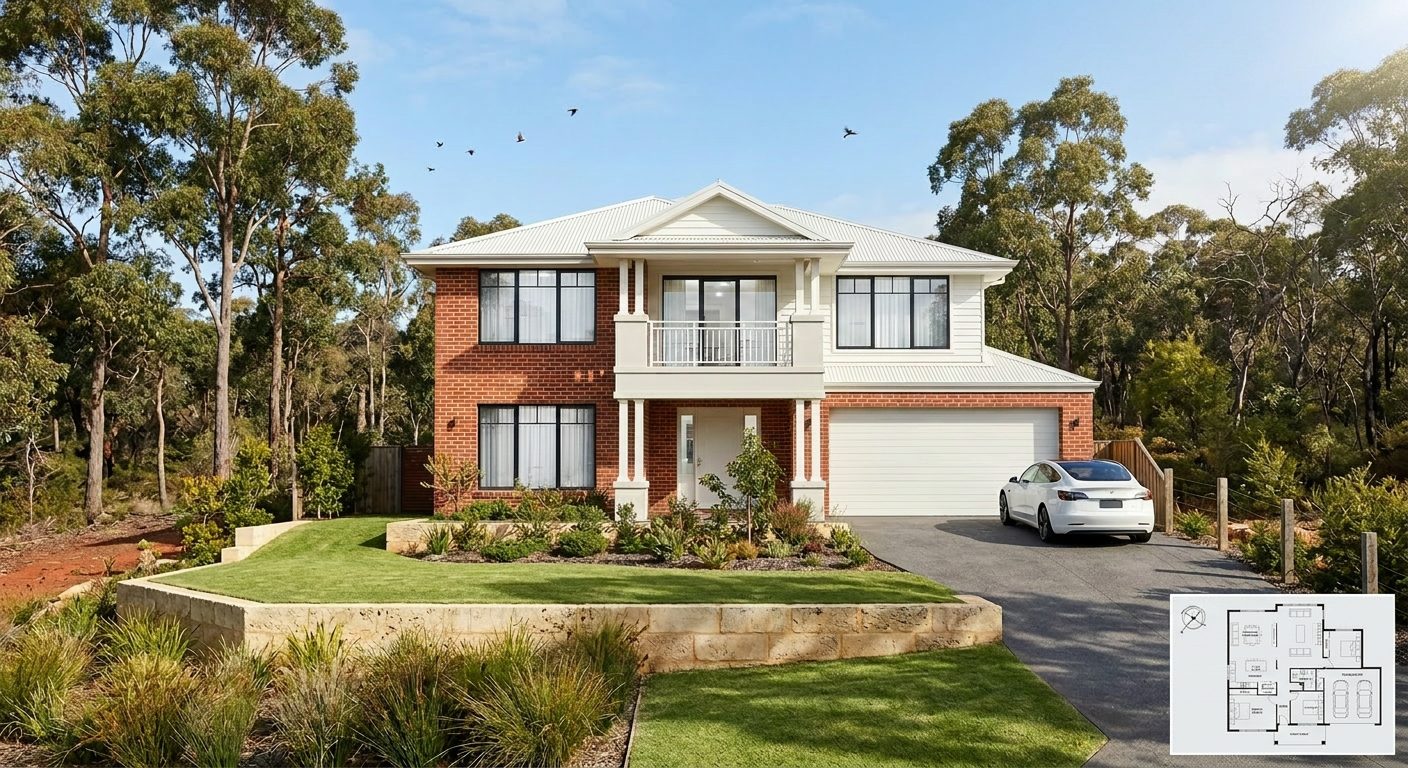
A photoreal SilpuAI Studio+ render of a Sydney home
Your model → photoreal, exactly as drawn.SILPUAI STUDIO+
Built by a practising designer Works with SketchUp · ArchiCAD · Revit — or any screenshot A$1.50 a render · credits never expire Renders exactly as modelled
Three steps

From your model to a finished render before your coffee's cold.

01

Upload your model

Drag in a model view — or send it straight from the free SketchUp, ArchiCAD or Revit plugin with one click.

02

Pick a look

Photoreal, golden hour, dusk, or a concept style. Set the sun, the time of day, the mood — no scene setup.

03

Generate

A magazine-grade render in seconds. Relight, restyle, add interiors or landscape, and download. Priced per render.

Outsourcing vs. rendering it yourself

Where a Sydney render studio still earns its fee — and where it doesn't.

A single hero shot for a harbourfront flagship? Worth commissioning. But the concept passes, DA option studies, heritage-context views and listing images — the everyday volume that quietly swallows your week — belong on your own screen, turned around in seconds and reworked as often as you like, at no extra cost.

 Outsourcing (the old way)SilpuAI Studio+ YOU
Turnaround3–7 daysSeconds
Cost per imageA$250–A$900A$1.50
RevisionsPaid, another waitInstant, as many as you like
Design accuracyDepends on the briefLocked to your model
Who's in controlSomeone else's queueYou, at your desk in Sydney

It renders your design — not its imagination.

Generic AI guesses — it swaps rooflines, dreams up balconies and repaints materials it never understood. Studio+ pins geometry and materials to your model instead, so your Federation face brick stays face brick, your Sydney sandstone stays sandstone, your rendered masonry stays rendered, and your fibre-cement clad addition reads as fibre-cement rather than a phantom rebuild. On a Paddington or Balmain block where the terrace next door sits in a heritage conservation area, that accuracy is the difference between a render you can hand to a client, a heritage consultant or the council with your DA — and a pretty picture you can't stand behind.

“Render exactly as modelled” isn't a setting. It's the whole point.

Built for Sydney work

What Sydney designers & builders render with it.

Federation terraces Victorian terraces & iron lace Sydney sandstone Warehouse conversions Harbourside homes Coastal-modern builds Face brick & render Semis & dual occupancy
Pricing

Pay for what you render. Nothing else.

A$1.50
per render
Free to try — no card. Just sign in and render.
  • Credits never expire — buy a top-up, use it whenever.
  • Free plugins for SketchUp, ArchiCAD & Revit.
  • Clean, unwatermarked output on paid renders.
  • Relight, restyle, interiors & landscape included.
  • Pro tier for teams and higher volume.
Questions

3D rendering in Sydney — answered.

How much does 3D rendering cost in Sydney?

Sydney render studios generally charge A$250–A$900 for a single image, with a three-to-seven-day turnaround and more again for a full set or a rush job. SilpuAI Studio+ is A$1.50 per render, GST included, generated in seconds, and your credits never expire — so a full page of DA options costs a few dollars instead of a few thousand. It's free to try first, no card needed.

Will the render stay true to my drawings?

It's built to. Studio+ pins geometry and materials to your model, so it renders your terrace parapet, your sandstone, your face brick and your setbacks rather than inventing them the way a generic image tool does. Even so, AI can drift — an eave line or a window head can shift — so always check the render against your drawings before you rely on it for a DA lodgement, a heritage report or a client sign-off.

How long does a render take?

Seconds. Upload your model or push the view straight from the plugin, pick a look, and generate. Trying a harbour view at dusk or three cladding options is instant — no re-queue, no re-quote, no email chain with a studio.

Which software does it work with?

Free plugins for SketchUp, ArchiCAD and Revit send your view across with one click. You can also drop in any 3D screenshot, a photo of an empty room, or a product shot — no render farm and no scene setup, which matters when a DA deadline on the NSW Planning Portal is bearing down on you.

Do I still need a Sydney rendering studio?

For a signature hero image on a harbourfront or awards project, a specialist studio can still be worth the fee. For concept passes, DA options, heritage-context views and real-estate listings — the everyday volume — you render them yourself in seconds and keep control of the file.
Render your next Sydney project — free to start.

No card, no studio queue, nothing to wait on. Sign in, upload your model, and watch your terrace, your addition or your harbour home turn photoreal in seconds. A$1.50 a render after that, and your credits never expire.

Start rendering